Our product · payments

How payments work on Drivio

Drivio is the mobility platform Manwaj Solutions (Pvt) Ltd builds and operates, and its wallet is how this company takes consumer money. This page is the mechanics of that, in full: what a customer can pay with, exactly how money gets into a wallet, what is held against a booking, and how it comes back out. Every screen below is a capture of the shipped app.

What you pay with

A prepaid wallet, or cash to the driver.

There is no third option, and neither one involves a card. Drivio holds no payment instrument belonging to a customer — the wallet is money they put there, and cash never reaches us at all.

The Drivio wallet

A prepaid balance held in the customer’s own account. They load it themselves, in advance, and every service in the app can be paid from it. It is what makes holding funds against a booking possible at all.

Cash

Accepted on a standard ride, handed to the driver when the trip ends. It never touches a payment rail and never reaches this company — there is nothing for us to settle, and nothing for us to refund.

Adding money

Eight steps, and the customer initiates every transfer.

Money enters a Drivio wallet one way: the customer sends it, over JazzCash or Easypaisa, from their own account, and a person at this end matches it against the provider’s record before the balance moves. Nothing is credited on the customer’s word alone, and nothing is ever pulled.

Wallet

Where the process starts, and where it is all visible afterwards

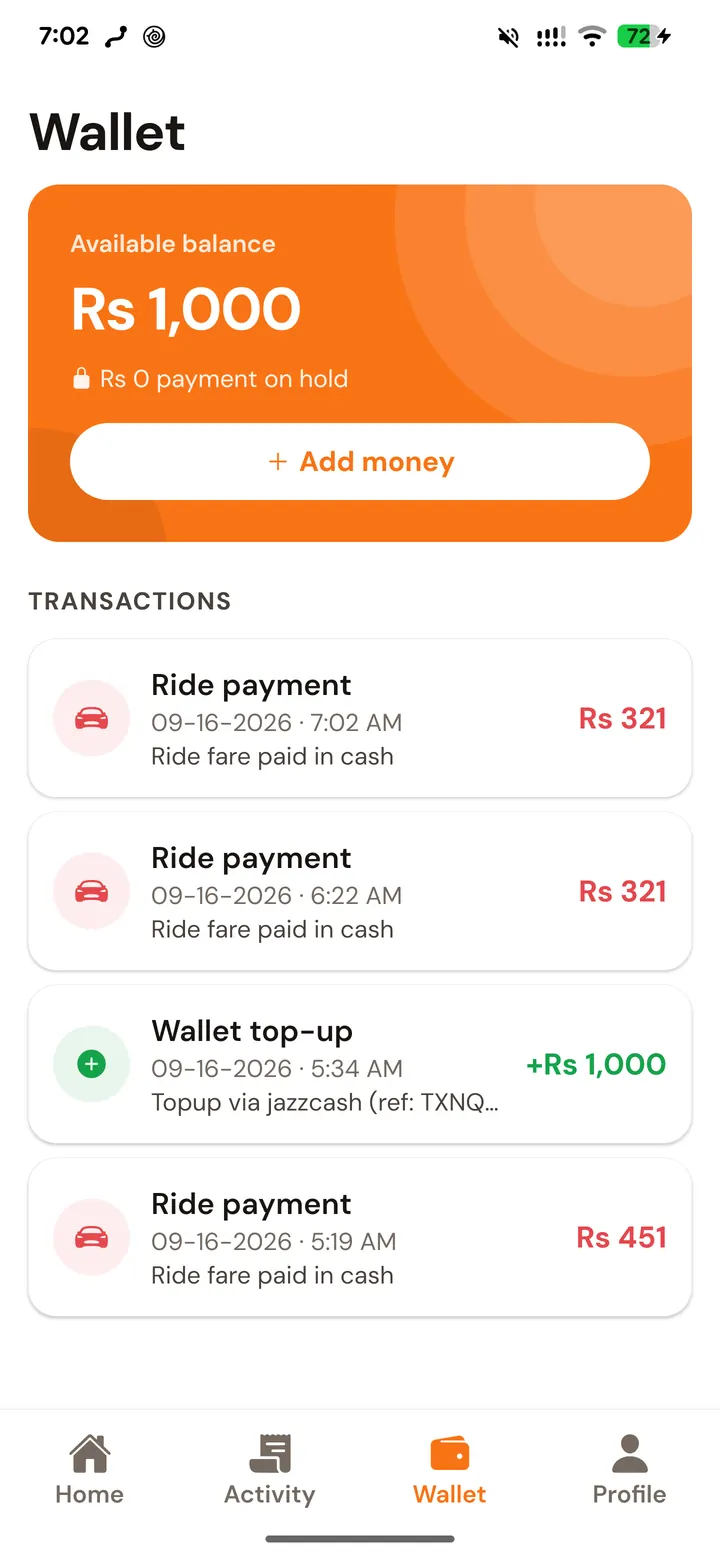
The Wallet tab is both the entry point and the record. It shows the available balance, the amount currently held against a live booking, and every movement since the account was opened — each top-up carrying the payment reference it was approved against, and each charge named for the trip it paid for.

  • Available balance and held amount, separately
  • Every top-up listed with its provider reference
  • Every charge listed against the booking it paid for
  • Balances are in PKR, and only PKR
The Drivio wallet showing an available balance, an Add money button and a list of top-ups and ride charges
The wallet, in the shipped app. “Add money” opens the top-up sheet; below it, a JazzCash top-up sits in the ledger with its reference beside two ride charges.
  1. 01
    Wallet → Add money

    The Wallet tab shows the available balance, anything currently on hold against a live booking, and every past transaction. “Add money” opens the top-up sheet.

  2. 02
    Pick the rail: JazzCash or Easypaisa

    These are the two mobile-wallet rails the app accepts money over. The choice matters, because the destination account shown in step 04 differs between them.

  3. 03
    Choose the amount

    Rs 200, Rs 500, Rs 1,000 and Rs 2,000 are one tap; any other whole-rupee figure can be typed. The minimum top-up is Rs 100 and the ceiling is Rs 1,000,000 — both enforced on the server, not only in the app.

  4. 04
    The app shows where to send it

    Drivio’s account number for the chosen rail, and the exact amount, on screen with the four instructions beside them. The number is shown in the app rather than published, so the destination a customer reads is one they got from an account they logged into.

  5. 05
    The customer sends the money themselves

    From their own JazzCash or Easypaisa app, or by dialling *786#. This is the step that defines the whole model: the transfer is PUSHED by the customer. Drivio holds no card, no mandate and no instrument, and cannot pull a rupee from anybody.

  6. 06
    They enter the transaction ID

    Back in the app, “I’ve sent the money” asks for the transaction ID from the provider’s confirmation SMS, and optionally the mobile number the money was sent from. That reference is what makes the payment matchable.

  7. 07
    A person verifies it, then the balance moves

    The request is queued as pending. An administrator matches it against the provider’s own transaction record and approves it, and only then is the wallet credited — in one database transaction, with a ledger row reading “Topup via jazzcash (ref: …)” against it. Approval is typically minutes.

  8. 08
    If it cannot be matched, it is rejected

    The request is marked rejected with the reason, and the customer gets a notification naming the amount. Nothing was ever deducted by us, because nothing was ever pulled — the money is wherever the customer’s own transfer left it, and they can raise it with support.

The verification step is manual on purpose. A top-up is credited only once the transaction reference a customer supplied has been matched against the provider’s own record of that transfer — which is what makes a Drivio balance an amount somebody actually sent, rather than an amount somebody claimed to.

Paying for a booking

The price is on screen before anything is taken.

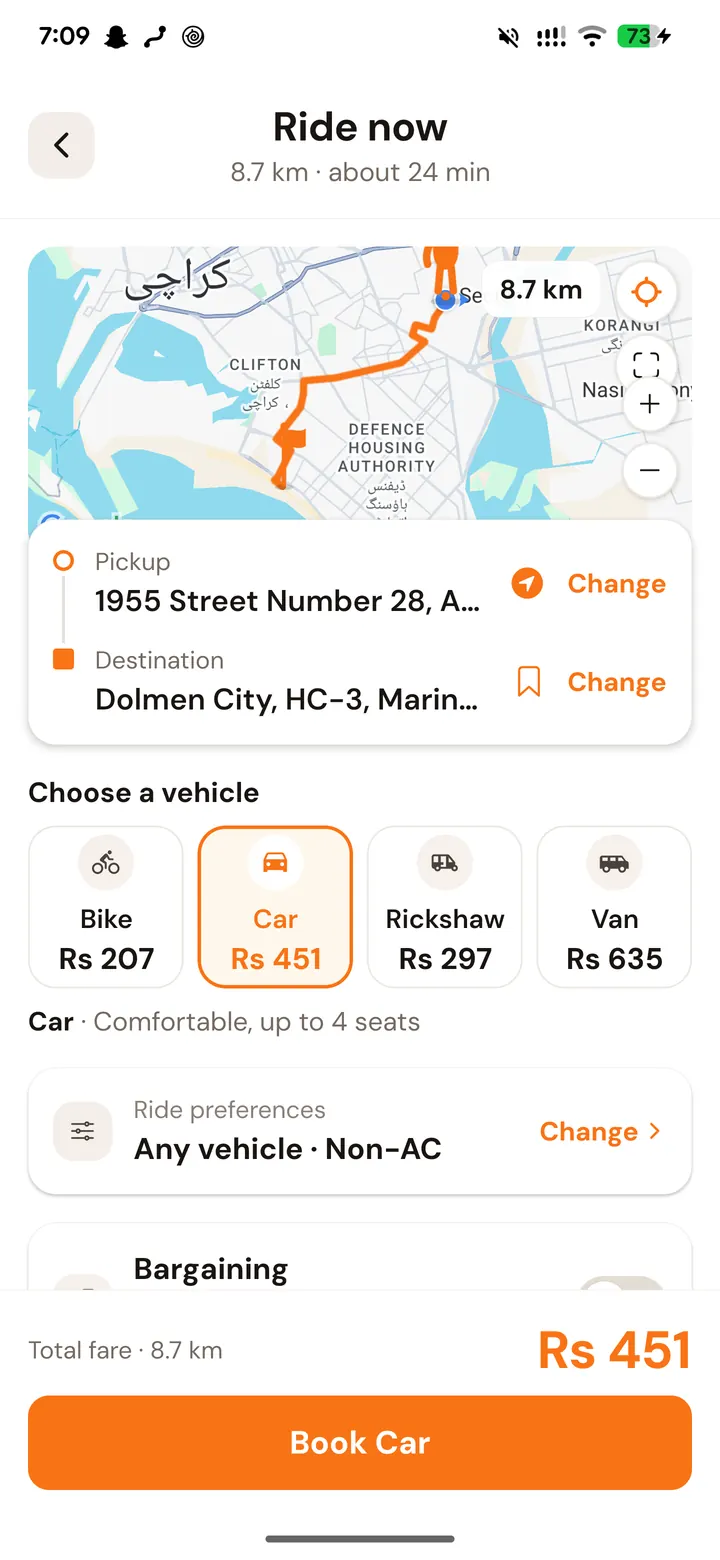
Every service prices itself in full before the button that books it exists, and the button names the total it is about to charge. How much is taken at that moment, and how much at the end, depends on the service — the risk is different in each.

Standard ride

Nothing up front. The fare is settled at the end, in cash to the driver or from the wallet, against the route actually travelled.

Rental

The full fare plus a security deposit is held at booking, because a vehicle is blocked out for that window. Both come back at completion.

Pool seat

The full seat price plus a security deposit is held at booking and stays held until the trip runs — a reserved seat is one the driver turned others away from.

Parcel & Pickup and Drop

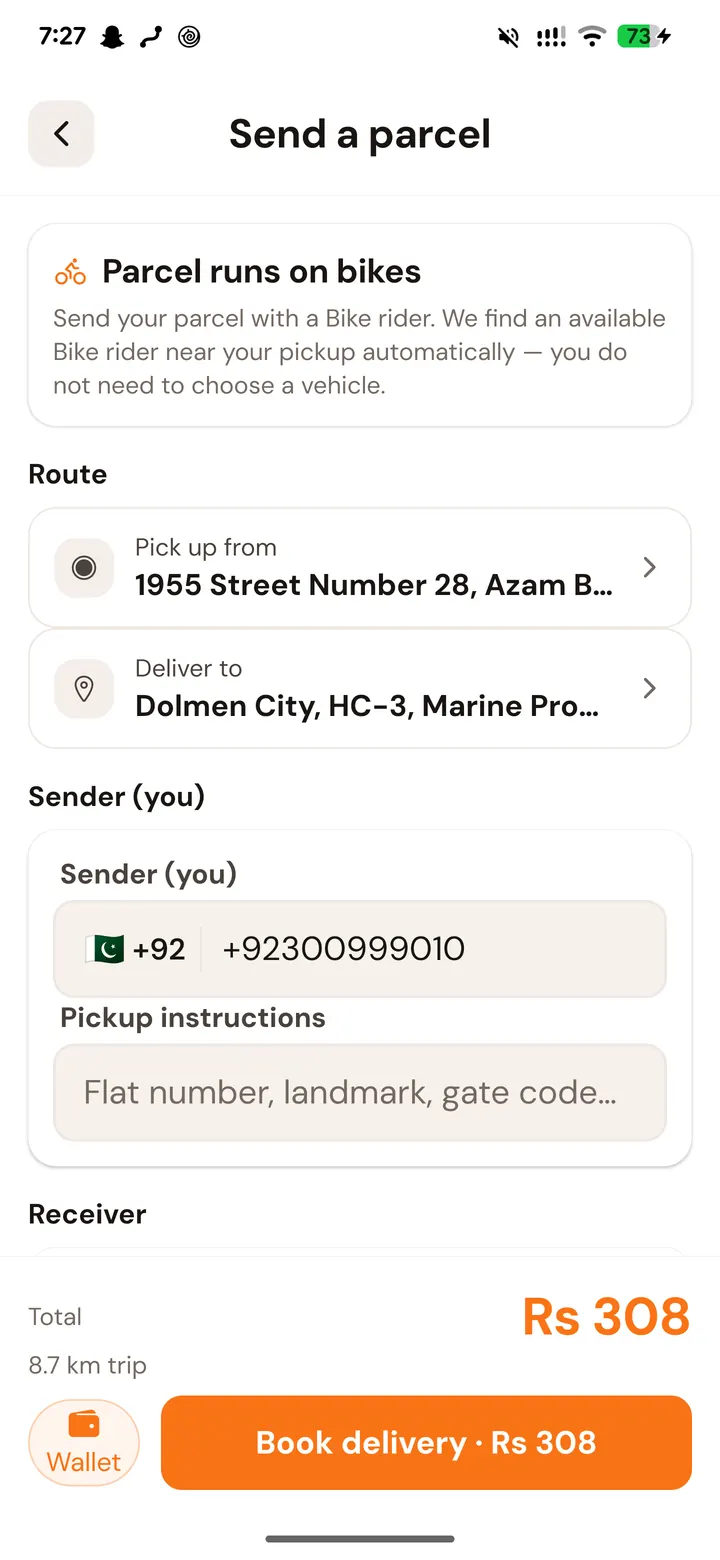
Paid from the wallet at booking, with the total and the payment method both on the button that confirms it.

Anything held for a booking sits with the platform and reaches the driver only once the trip genuinely completes, with the fare recomputed server-side against the route actually travelled. A booking that does not run is refunded to the customer’s wallet.

What never happens

Four things this design rules out.

These are not policies anyone has to be trusted to keep. They follow from the model on this page: a platform that cannot pull money has no mechanism with which to take any.

  • No card number is stored, anywhere, at any point.
  • No auto-debit, standing instruction or recurring mandate exists.
  • Drivio cannot initiate a transfer — every rupee in is one the customer pushed.
  • No fee appears at payment that was not shown before the booking was made.
Getting money out

A balance is the customer’s, and it leaves the way it came.

Refunds

Anything taken for a booking that does not run returns to the Drivio wallet it came from, with a ledger row recording it. Cancel before a driver is assigned and there is nothing to refund, because nothing was charged.

Withdrawals

A balance can be withdrawn to JazzCash, Easypaisa or a bank account. The request names the amount and the destination, the balance is debited when it is submitted, and an administrator clears it — within 7 working days. The minimum withdrawal is Rs 100.

Disputes

A completed booking can be disputed for 7 days, and a booking marked complete that was never delivered should be reported within 48 hours. We answer within 3 working days.

If a payment goes wrong

A person, not a form.

Customer & payment support
support@manwajsolutions.com
Hours
Monday–Saturday, 10:00 AM – 7:00 PM (PKT)
Operated by
Manwaj Solutions (Pvt) Ltd