Our product · the customer journey

How Drivio works, end to end

Drivio is the mobility platform Manwaj Solutions builds and operates, and it is what our customers pay for. This is every step one of them takes — what they do, what we do back, and exactly where their money is at each stage.

What we sell

A transport booking, paid for in the app or in cash.

Manwaj Solutions operates Drivio as a technology platform: we connect passengers and senders in Karachi with independent, document-verified drivers and vehicle owners. We own no fleet and employ no drivers. The platform handles discovery, pricing, booking, dispatch, live tracking, in-app communication, settlement and support for every transaction on it, and earns a per-trip platform charge and commission out of completed bookings — never a subscription, and never a fee added at checkout that was not shown before booking.

Cash

Accepted on standard rides, paid directly to the driver at the end of the trip. It never touches a payment rail.

Drivio wallet

A prepaid balance the customer loads themselves. It is what makes held-funds protection possible on a booking.

JazzCash · Easypaisa

The two rails money travels INTO the wallet on, always pushed by the customer. A refund returns to the wallet; a withdrawal can also go back out to a bank account.

Step by step

Nine stages, install to receipt.

Two of these move money. Both are written out rather than summarised, because “you pay in the app” is not an answer anyone should have to accept. The screens below are taken from the live app.

01

Install the app and look around

Drivio is a free Android app. There is no charge to install it, none to create an account, and none to browse — a customer can check prices for a trip before they ever sign up or pay anything.

  • Free to download and to keep
  • No payment details requested at install
  • Prices visible before signing up
02

Create an account with a mobile number

The customer enters a Pakistani mobile number and we send a one-time code. Entering that code is the whole signup — no password to invent, no email required. Identity on the platform is the verified phone number.

  • Mobile number + one-time code (OTP)
  • No password and no email needed
  • The number is the account identity
03

Choose a service

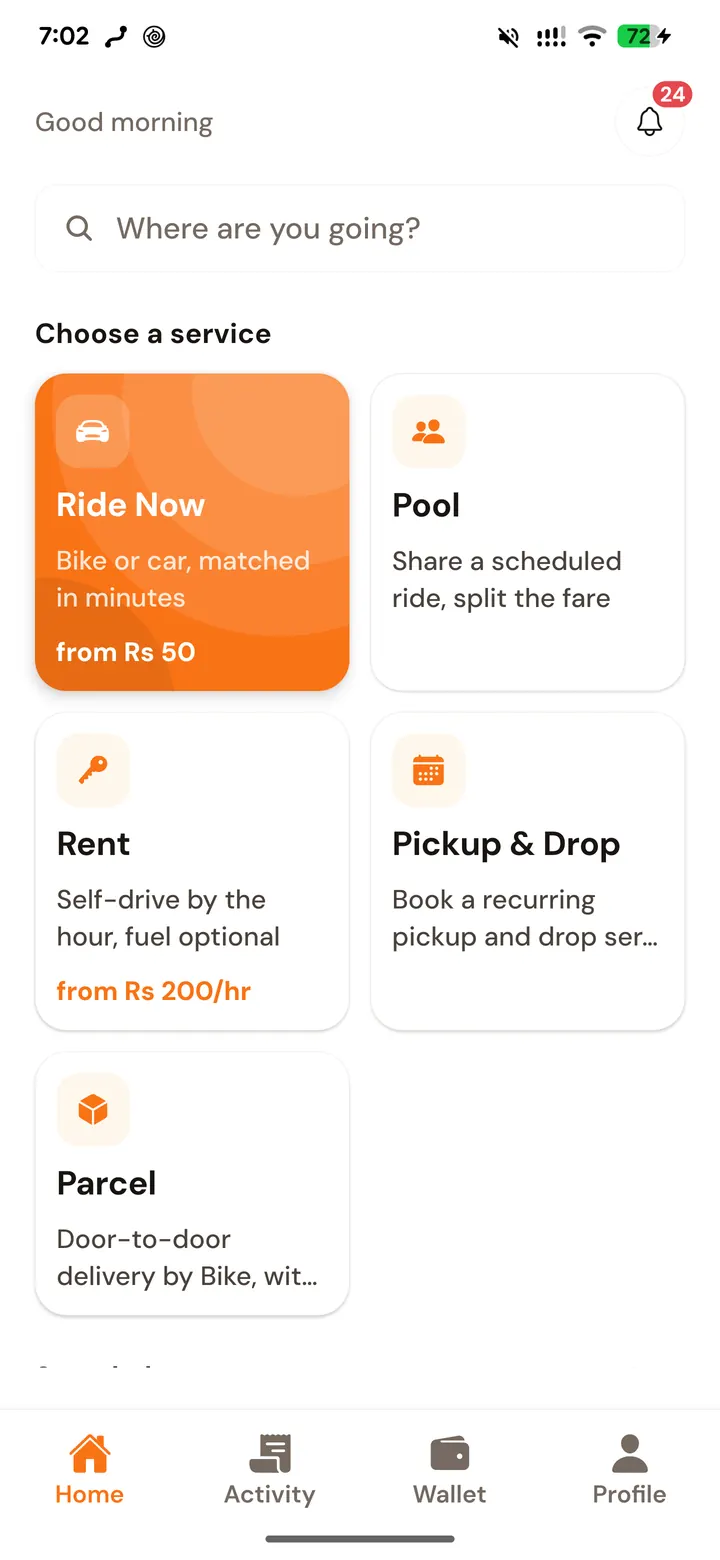
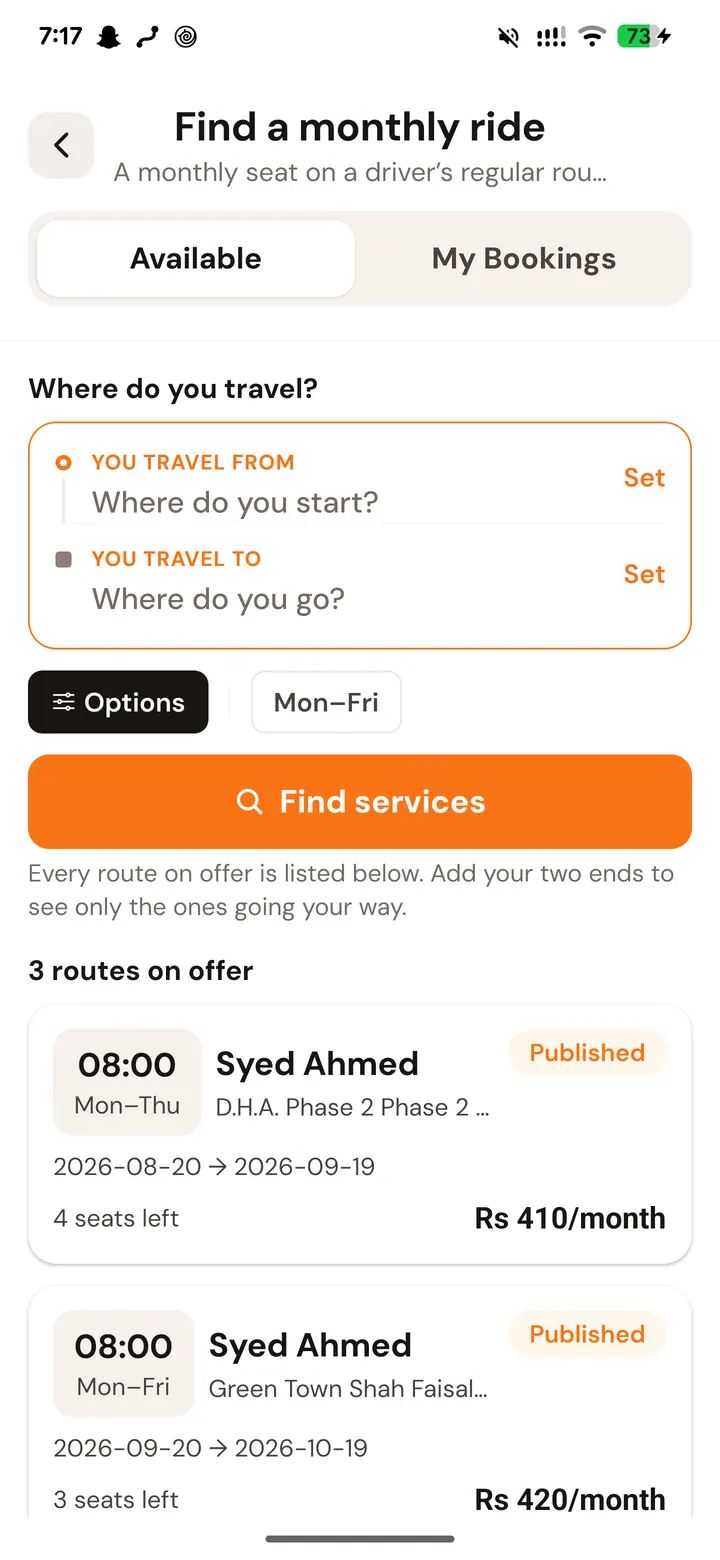
Five services sit on the home screen. They are separate products with separate rules and separate pricing, not one service with options — a ride is priced per trip, a rental per hour, a parcel per delivery — so the customer picks the one that matches the job.

  • Ride — bike, car, rickshaw or van, point to point
  • Pool — a seat on a scheduled shared route
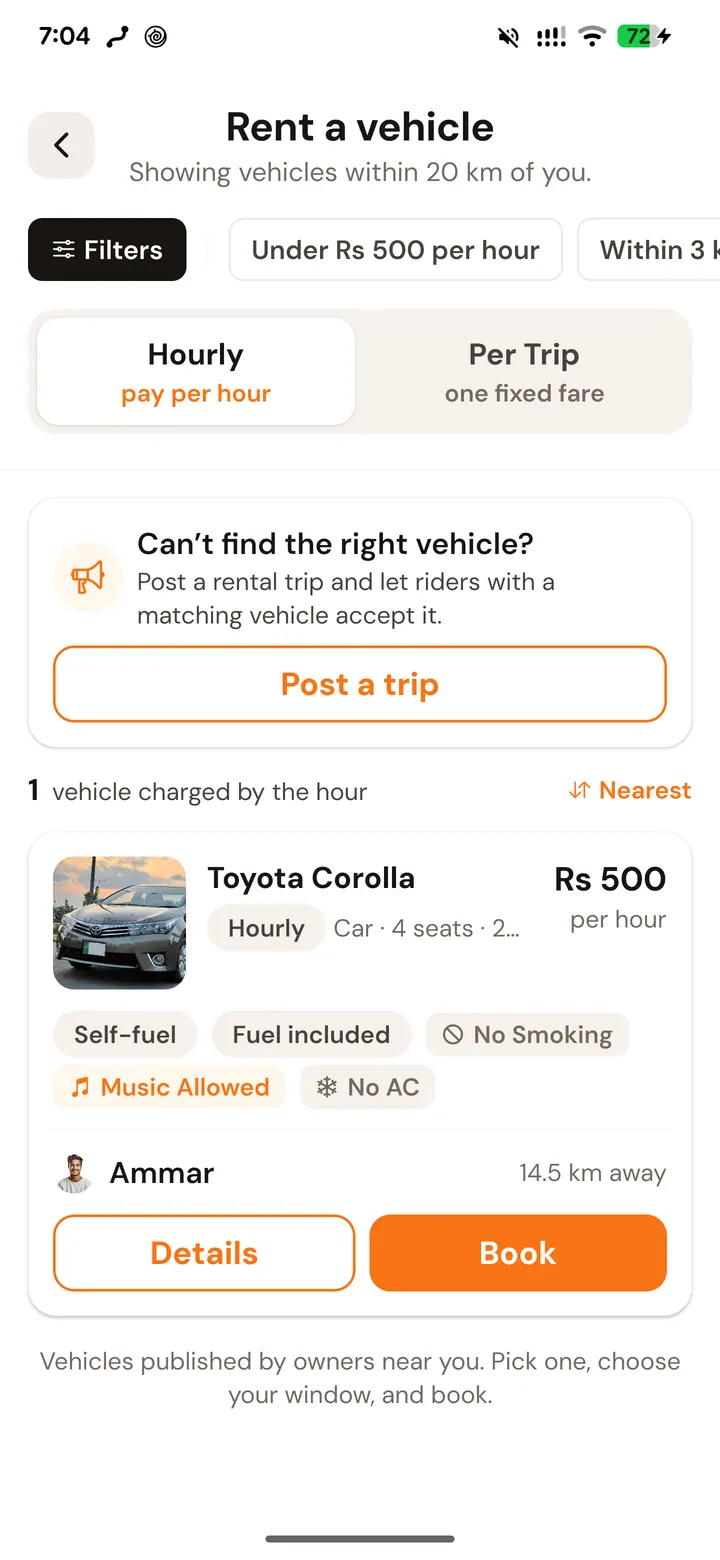
  • Rental — a vehicle by the hour, fuel optional
  • Pickup & Drop — a recurring daily commute
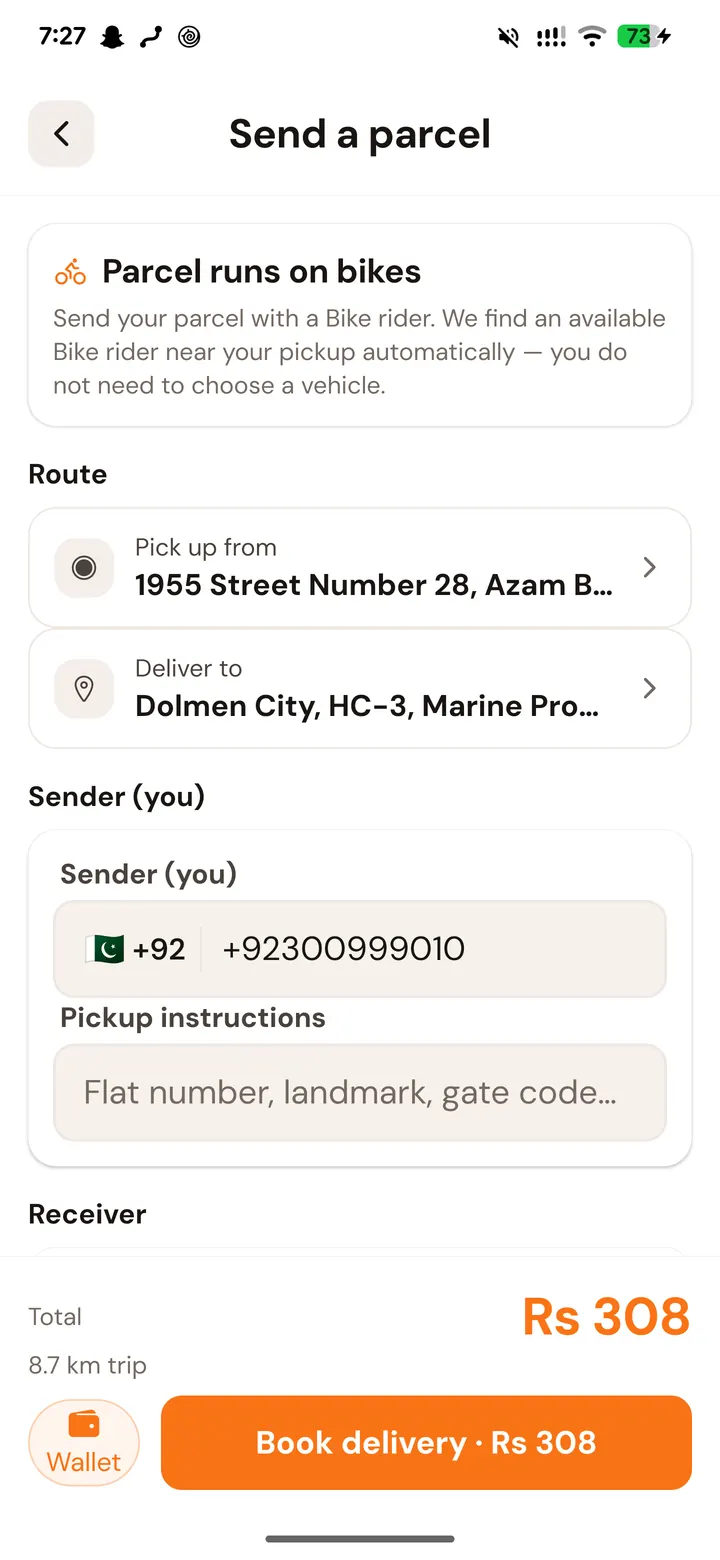
  • Parcel — door-to-door delivery within the city
The Drivio home screen, listing Ride Now, Pool, Rent, Pickup & Drop and Parcel with their starting prices
The home screen. Five services, each showing its starting price before it is opened.
04

See the exact price before committing

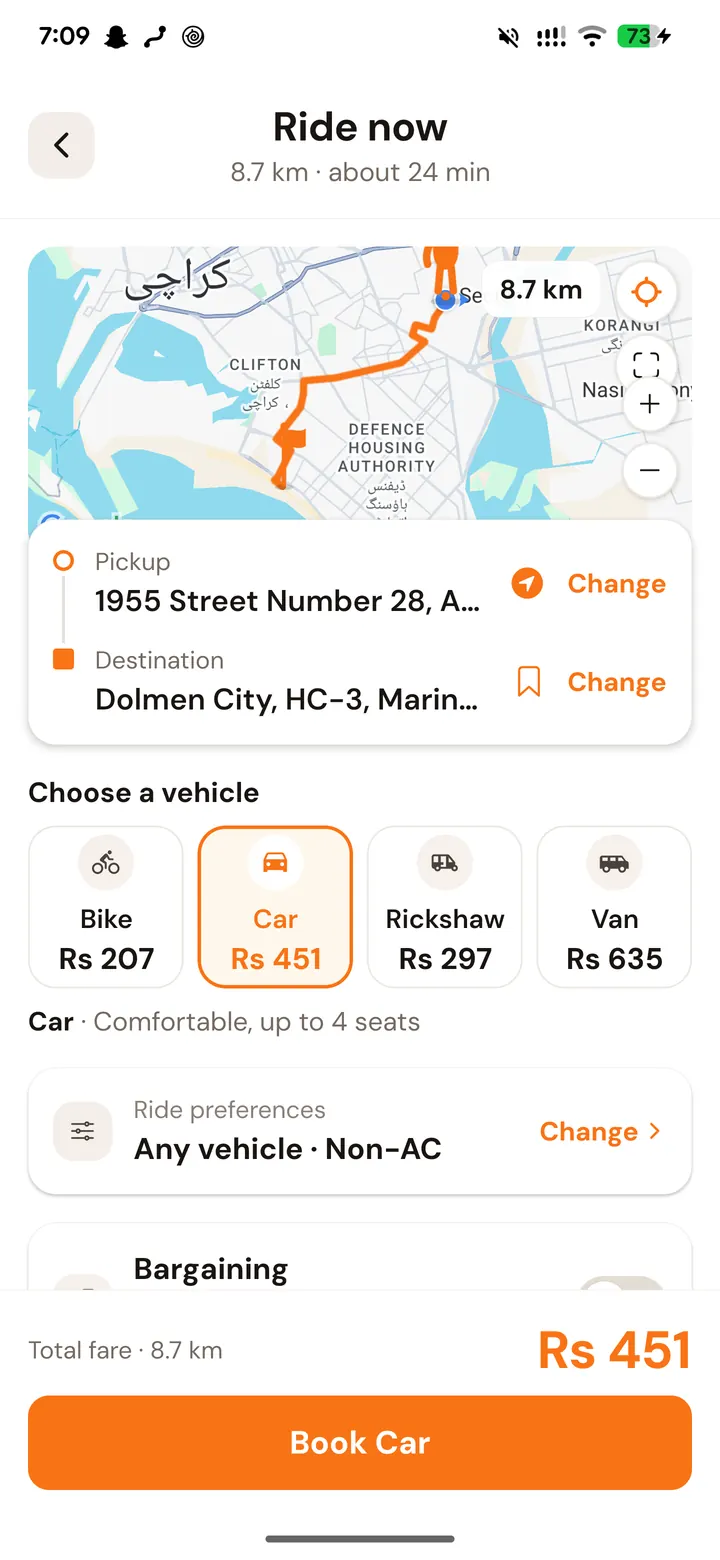
With a pickup and a destination set, the app shows the route, the distance, the duration and a price for every vehicle class side by side. The figure comes from published rates — base fare plus per kilometre plus per minute — and it is on screen before any button exists to book.

  • Route, distance and duration on the map
  • A price per vehicle class, side by side
  • Published rates, with no surge multiplier
  • Nothing is charged at this stage
A Drivio ride being priced: an 8.7 km route on the map with Bike, Car, Rickshaw and Van fares side by side
An 8.7 km trip priced per vehicle before booking — Car Rs 451 here — with the total above the Book button.
05

Book, and get matched with a verified driver

The request goes to nearby drivers approved for that service. Every one of them has cleared a five-document check — CNIC, licence, vehicle registration, police character certificate, photograph — reviewed by a person, not an algorithm. When one accepts, the customer sees their name, photo, vehicle and number plate before they arrive.

  • Matched only to document-verified drivers
  • Name, photo, vehicle and plate shown in advance
  • Call or message the driver inside the app
  • Free cancellation until a driver is assigned
06

Pay — cash, or from the Drivio wallet

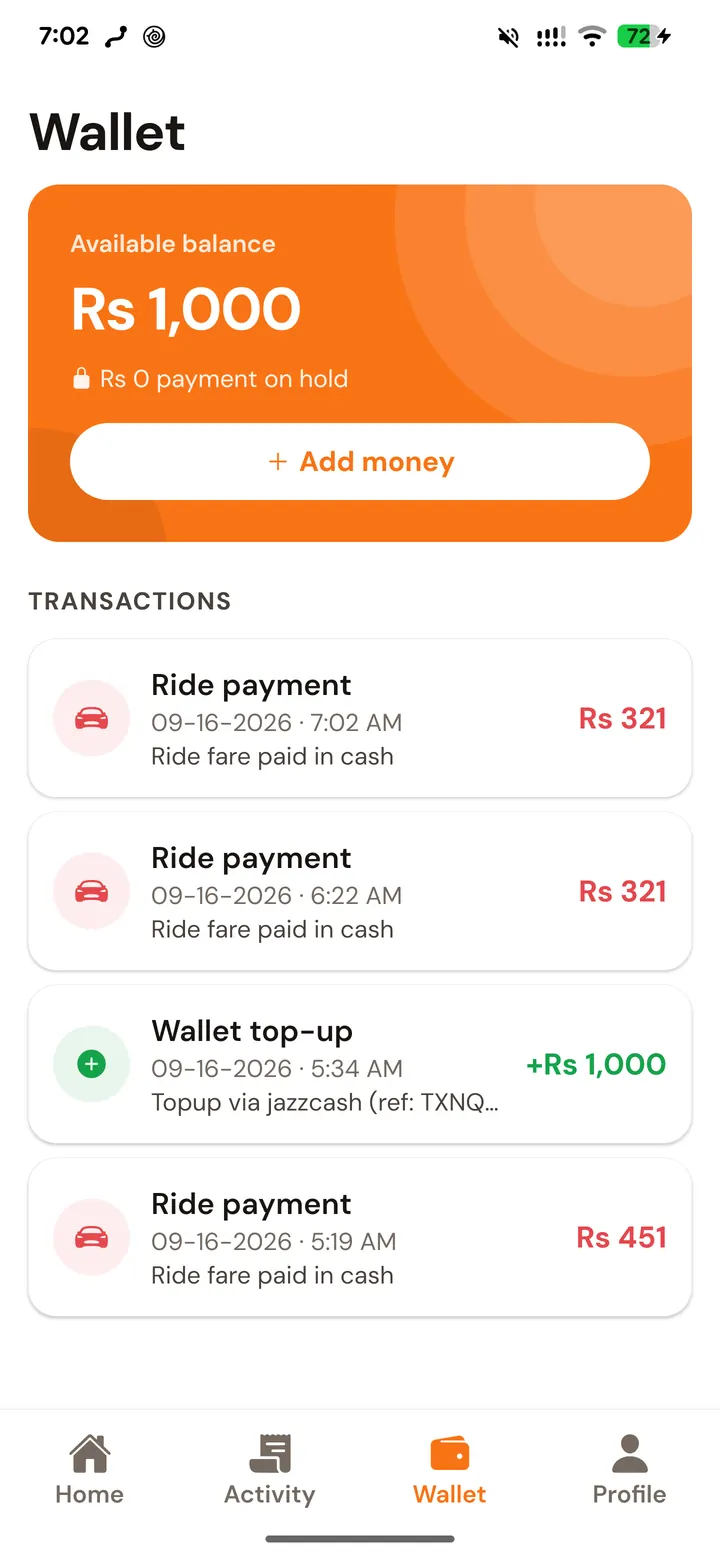
A standard ride can be paid in cash to the driver at the end of the trip, or from the customer’s Drivio wallet. The wallet is a prepaid balance the customer loads themselves over JazzCash or Easypaisa — the two rails the app accepts money on. Drivio never pulls funds on its own initiative: a top-up is always an amount the customer entered, sent from their own account, and confirmed with the provider’s transaction reference.

  • Cash — handed to the driver when the trip ends
  • Wallet — loaded by the customer over JazzCash or Easypaisa
  • Every top-up and charge listed with its reference
  • No card is stored and no auto-debit is set up
The Drivio wallet showing an available balance, an Add money button and a list of top-ups and ride charges
The wallet. A top-up carries its payment reference; each ride charge is listed against the trip it paid for.
07

Travel, tracked the whole way

From the moment a driver accepts, the customer watches them approach on the map and follows the route as it happens. That live view can be handed to someone else, and an SOS control sits inside the trip itself rather than behind a menu.

  • Live GPS from acceptance to drop-off
  • Share the trip with a friend or family member
  • SOS available at one tap during any live trip
08

The trip ends, and the receipt is itemised

At drop-off the fare is finalised server-side against the route actually travelled, and the breakdown — base fare, distance, time, any surcharge — is shown before anything settles. Funds held for the trip are released to the driver at that point and not before. The receipt stays in the customer’s history.

  • Fare recomputed on the real route, server-side
  • An itemised breakdown, not a single total
  • Held funds released to the driver on completion
  • Receipt retained in the app for the customer’s records
09

Cancel, refund, or raise a problem

Cancelling before a driver is assigned costs nothing. After that a cancellation fee applies — and the identical fee applies to a driver who walks away, so the rule is symmetric. Anything already taken for a booking that does not run returns to the customer’s wallet, and a wallet balance can be withdrawn back out to JazzCash, Easypaisa or a bank account. Support is a person, reachable in the app and from this site.

  • Free cancellation until a driver is assigned
  • The same fee applies to a driver who cancels
  • Refunds return to the customer’s Drivio wallet
  • Balances withdrawable to JazzCash, Easypaisa or bank
The other three services

Separate products, not options on one.

Stage 03 names five services. Two of them appear in the screens above; these are the rest, each with its own pricing model, its own booking rules and its own screen in the same app.

Where the money is

Held, not handed over.

How much is taken, and when, depends on the service — the risk is different in each. Only a standard ride takes nothing at booking.

Standard ride

Nothing is taken up front. The customer pays at the end, in cash or from the wallet.

Rental

The full fare plus a security deposit is held at booking — a vehicle is blocked out for that window.

Pool seat

The full seat price plus a security deposit is held at booking, and stays held until the trip runs.

Parcel & Pickup and Drop

Paid from the wallet at booking — a parcel in full, a subscription one month at a time.

Funds taken for a booking sit with the platform and reach the driver only once the trip genuinely completes. A booking that does not run is refunded to the customer’s wallet, and a wallet balance can be withdrawn back out to JazzCash, Easypaisa or a bank account.

If something goes wrong

A person, not a form.

Customer & payment support
support@manwajsolutions.com
Hours
Monday–Saturday, 10:00 AM – 7:00 PM (PKT)
Operated by
Manwaj Solutions (Pvt) Ltd